- AI4the.Win - Professionals Using AI to Win!
- Posts
- Where Did OpenAI Whisper "Speech to Text" Tool Go?
Where Did OpenAI Whisper "Speech to Text" Tool Go?

Enrico Schaefer
January 27, 2025
AI4the.WIN Newsletter: The Future of Whisper Speech-to-Text
Those of you who have been part of the AI4the.WIN community for a long time know that I’m a big fan of AI-enabled speech-to-text, particularly OpenAI’s Whisper technology. When ChatGPT was first launched, the only way to access Whisper was through the OpenAI Playground’s Completions tool, where a microphone icon allowed users to dictate text effortlessly. Many of you will recognize this screen:
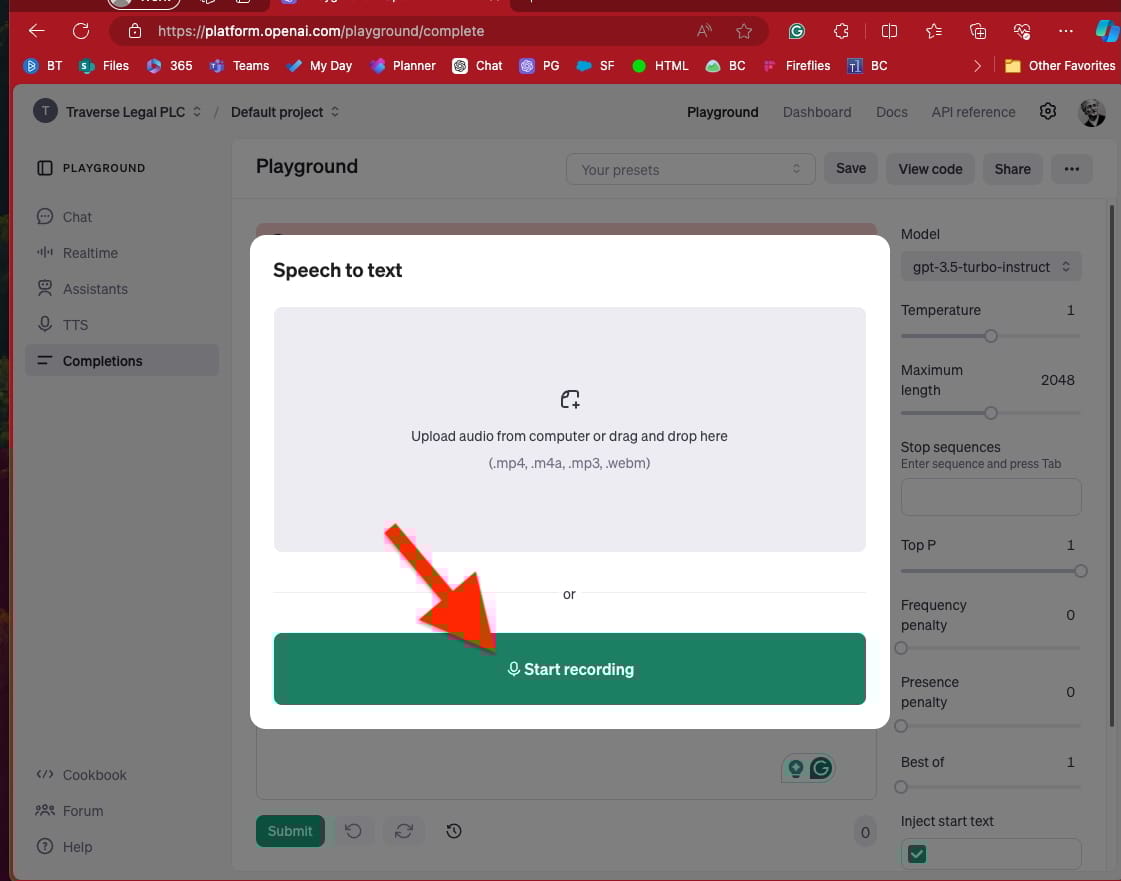
I even created a video guiding our community on how to use this feature for seamless, all-day dictation.(one of our most popular free videos).
However, OpenAI has now deprecated the Completions Playground, and with it, the standalone Whisper speech-to-text tool will be removed on March 15, 2025. This marks a significant shift in how users can access Whisper, raising the question: What are the best alternatives for speech-to-text moving forward?
How to Access Whisper Speech-to-Text Now
Temporary Access Until March 2025 – If you still want to use Whisper in the OpenAI Playground, I have a temporary link that appears to be active through March. Playground - OpenAI API
ChatGPT Desktop App – Whisper is built into the desktop version of ChatGPT, allowing you to dictate input instead of typing.
Apple Intelligence Integration (M1 Chip or Greater): Users can access Whisper via the beta WorkWithApps integration, which enables ChatGPT to function within various desktop applications (like Microsoft Word in future versions).
ChatGPT Web App – Whisper is currently unavailable in the web-based version of ChatGPT.
The system requirements for downloading and running the ChatGPT desktop version vary depending on the operating system:
macOS Requirements
macOS 14 (Sonoma) or later
Apple Silicon processor (M1 or better)
It's important to note that the ChatGPT desktop app is not compatible with Intel-based Macs, regardless of their age or specifications23.
Windows Requirements
Windows 10 version 18362.0 or higher5
4GB RAM (minimum)
Stable internet connection
Looking Ahead
I know many of you share my disappointment in losing the standalone Whisper tool—it was incredibly convenient to keep it open in a separate browser window and use it all day long. But as OpenAI continues to integrate Whisper into various applications, we must adapt. Soon, speech-to-text will be built into everything, making AI-powered dictation a seamless part of our workflows.
In the meantime, I’d love to hear how you’re adjusting to this change! Join the discussion and share your workflows for integrating Whisper into your daily tasks. Let’s continue to innovate together.
Are You Using ChatGPT’s New Game-Changing PROJECTS Feature?
If you want to get the most out of ChatGPT, you need to learn how to use its new feature set, “Projects.” This is the next game-changing feature for business professionals looking to keep their chat threads organized and use GPT assistant-based technology to build assistants for specific clients, customers, projects, and goals.
We have the knowledge and experience to guide you through this powerful new feature, making it easy to master it. Whether you streamline your workflows, organize your AI-driven tasks, or take your productivity to the next level, our lessons will show you exactly how to do it.
Click here to access the new lessons on Projects and start transforming how you work with AI today.
.jpeg)

There’s a reason 400,000 professionals read this daily.
Join The AI Report, trusted by 400,000+ professionals at Google, Microsoft, and OpenAI. Get daily insights, tools, and strategies to master practical AI skills that drive results.